Description
“I sell age-restricted products and a popup is all I have.”
A popup anyone can click through does not tell you who bought. If your products need a real age check, you are stuck choosing between a per-check ID service and emailing customers for photos of their ID, then keeping those photos in your inbox.
What it does
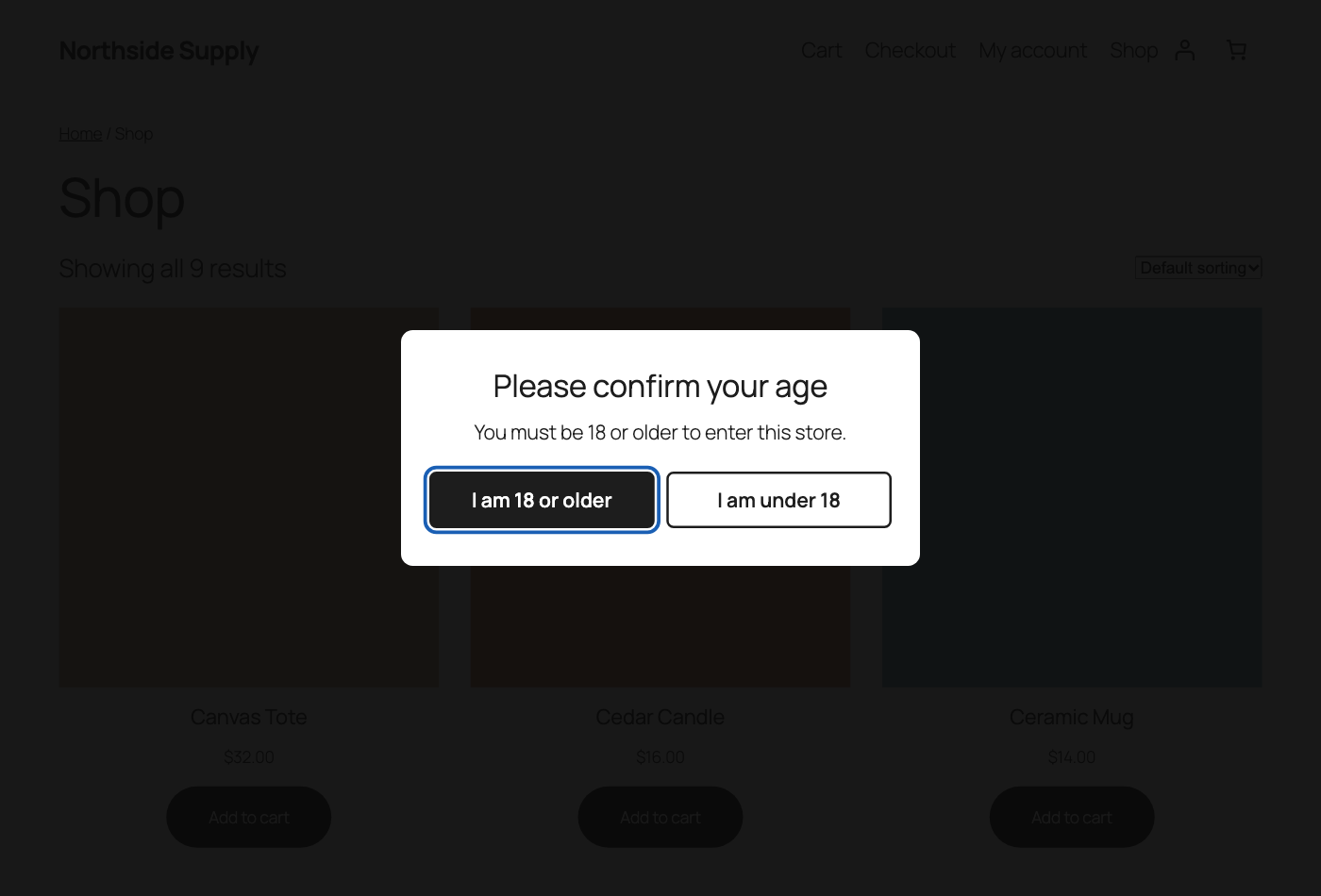
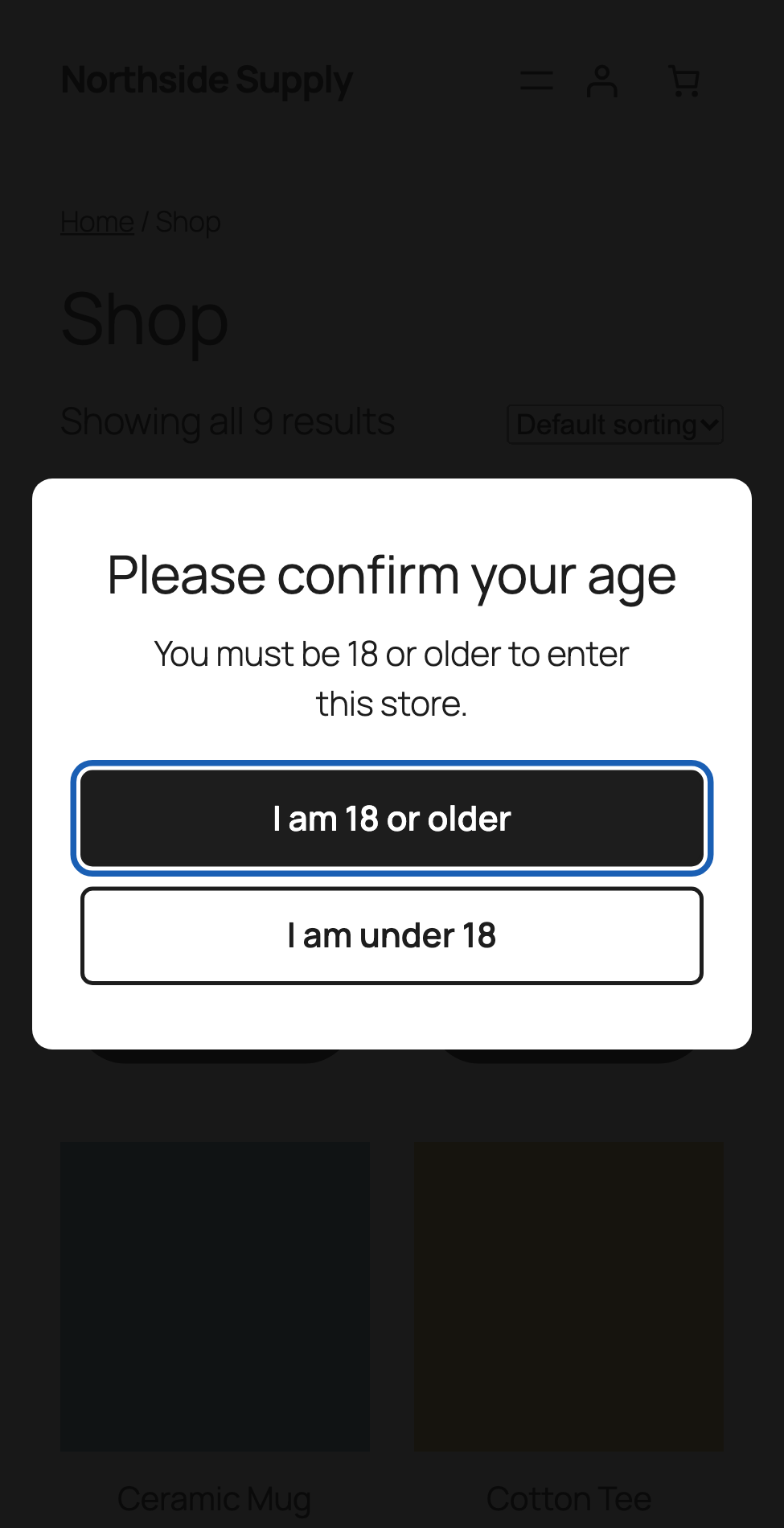
Age gate popup. Set a minimum age and show it sitewide or on chosen categories. It remembers the visitor for the number of days you choose, with an exit address. It works with page caching, causes no layout shift, and supports keyboard and screen readers.
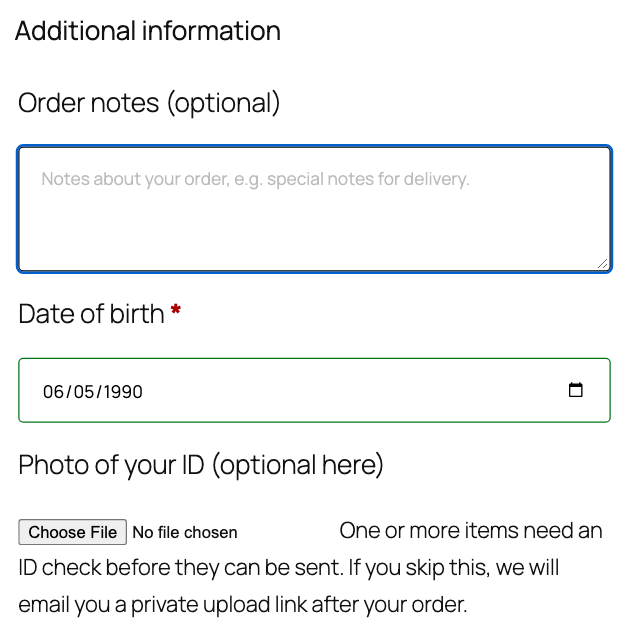
Date of birth at checkout. Classic and block. The age is checked on the server, so changing the page in the browser does not get around it.
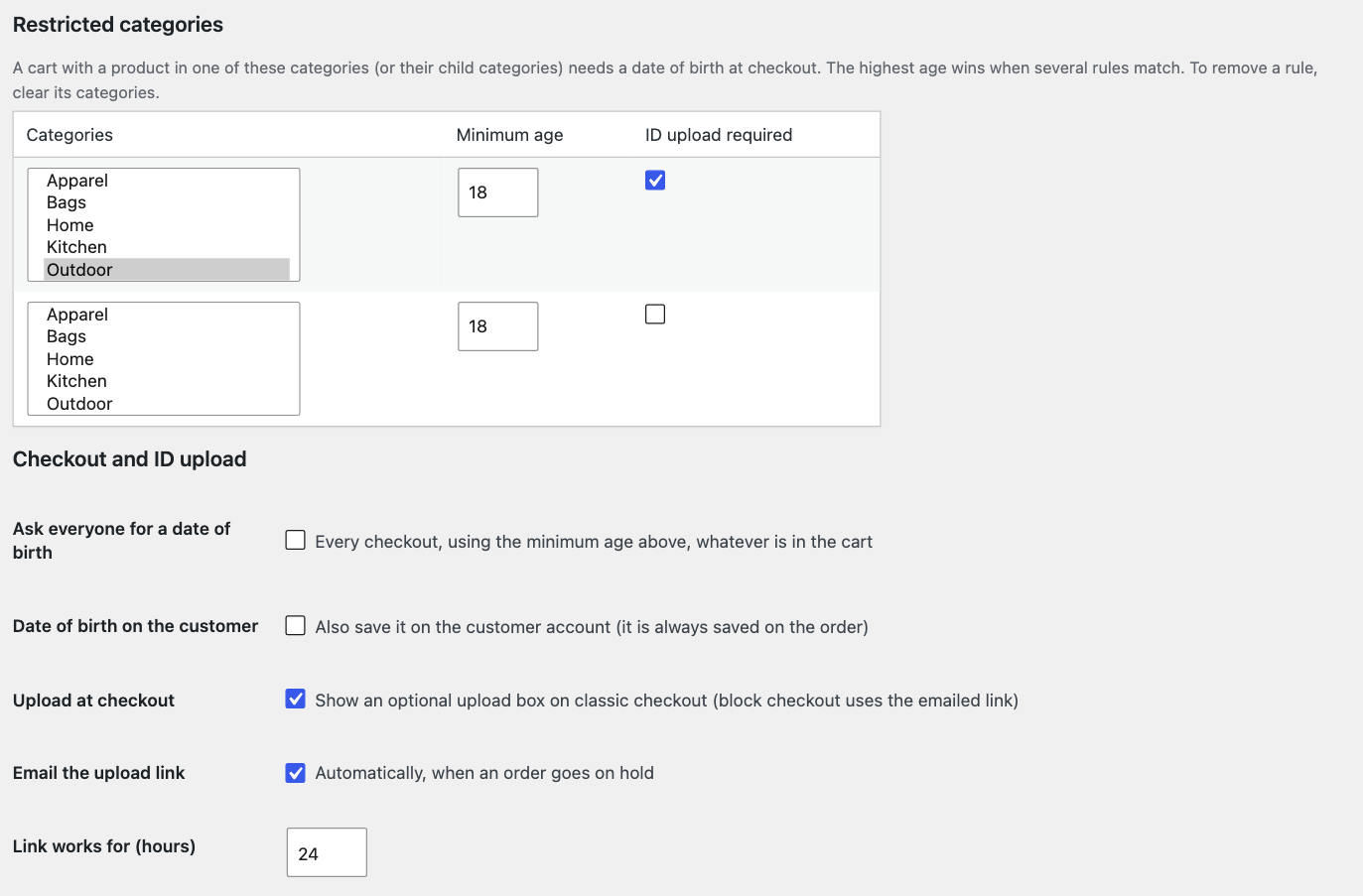
Rules per category. Choose categories (child categories included), a minimum age and whether an ID is required. If a cart matches several rules, the highest age wins.
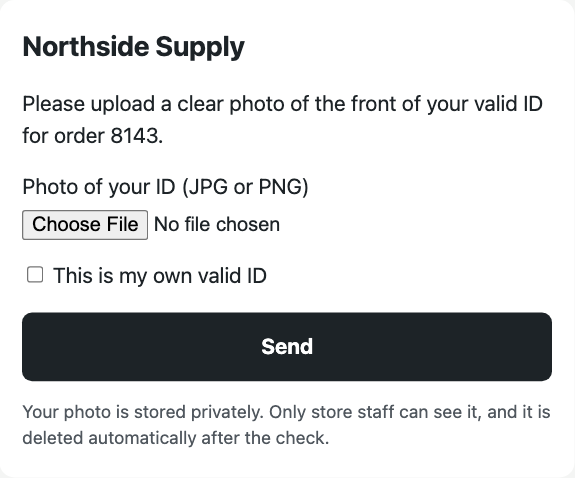
ID upload. A box at classic checkout, or a private link emailed to the customer. Customers send a JPG or PNG. Location and other metadata are removed, and a photo that cannot be processed is refused. Files are encrypted, go in a private folder with random names, and open only for logged-in staff through a protected link.
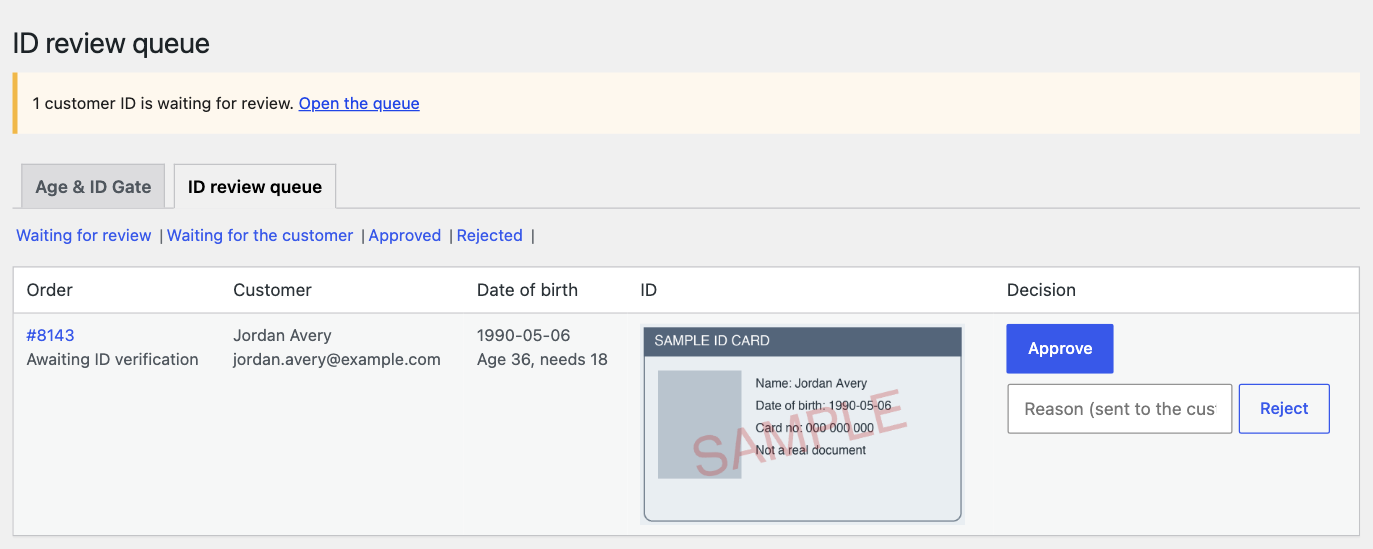
Review queue. Your staff see the order, the customer, their date of birth and a preview of the ID. They approve, or reject with a reason, and the customer gets an email. Approved customers can stay verified for the number of days you set.
Order holds. Orders wait at “Awaiting ID verification”. Hold after payment, or before payment with a pay link once the ID is approved. Every route to processing or completed passes through the same guard.
Flag a customer by account, email or phone to force an ID check. Staff get alerts, and an optional signed webhook carries the upload link, so you can send it by SMS through your own system.
Auto-delete. ID files are deleted a set number of days after the decision. Photos still waiting for review and rejected photos are deleted a set number of days after upload.
How it works at checkout
The customer enters a date of birth. If they are under the age for anything in the cart, the order is refused with a clear message. If an ID is required, they upload it at classic checkout or get a link by email, and the order waits for your staff.
Our server never blocks your checkout. All checks run on your own store, and no ID goes to our server. If our server is down, checkout completes and you see a notice in wp-admin.
Requirements
- WooCommerce 11.1 or newer, WordPress 6.5 or newer, PHP 8.1 or newer
- Works with HPOS on or off
- Works with block and classic checkout. The upload box at checkout is classic only. On block checkout, customers get the emailed link.
- Private files are protected by the web server on Apache. On nginx you need a server rule. The settings page checks this, shows the rule and warns you.
- ID uploads need the PHP sodium extension, which most hosts include. Without it the plugin shows a notice and refuses uploads.
Privacy: what leaves your store
Only licence checks. About once a day the plugin sends your licence key, store address, a site ID, and your plugin, WordPress, WooCommerce and PHP versions. Our server also sees your store’s IP address, and keeps it in its logs for up to 30 days. No IDs, dates of birth or customer data go to our server, and there is no outside ID service.
Dates of birth and ID files stay on your own site. Files are auto-deleted on your schedule, with a personal data exporter and eraser. If you set a webhook, the upload link goes to the address you chose. You are responsible for how your store handles ID documents, so mention this in your privacy policy.
Pricing
1-year licence: $99. 3-year licence: $199. Lifetime licence: $239. Each is a one-time payment with no auto-renewal. When a 1-year or 3-year term ends, you buy a new licence to keep the plugin running.
Each licence covers one site.
What happens if you cancel
All features stop 7 days after your term ends. Your settings and data are kept, and a new licence restores everything.
Warning: if your licence ends, ID checks and order holds stop. New orders for restricted products will no longer be held, and no ID will be asked for. Upload links you already sent stop working. If the law or your payment provider requires an ID check, have another process in place before your licence ends.
- Stops: the popup, date of birth check, category rules, ID upload, new holds, verified status, ID previews, history tabs and alerts.
- Keeps running for safety: orders already held stay listed and you can release them. ID files stay private. Auto-deletion and privacy erasers continue.
- A notice on every admin page says ID checks and order holds have stopped. It cannot be dismissed.
Honest limits
- This plugin is a tool, not legal advice. Check what the law requires for your products and your customers.
- The age gate is a click-through notice and needs JavaScript. A date of birth is what the customer tells you. Only your staff’s review of an ID confirms it.
- There is no automatic ID check. A person reviews every ID.
- Auto-delete counts from the decision. A photo nobody reviews, including one on a cancelled order, is deleted a set number of days after upload (30 by default). An erasure request matches the email on the ID record, plus the account with that email and its orders. Check by hand if a guest used a second email.
- ID files are encrypted on disk, but the key is on the same server, so anyone with full access to your server can read them. Only JPG and PNG are accepted, so customers with an iPhone may need to send a screenshot. A photo is refused if your server lacks the GD image library or the image is over 50 megapixels.
- On nginx, a file can be reached by anyone who has its URL until you add the server rule. The URL is unguessable and the file is encrypted, but the request is not refused.
- Guests do not carry verified status, because anyone can type an email.
- The upload rate limit is fixed at 10 tries per hour. Behind a proxy, all customers share one address until the store sets the right filter.
- Deactivating the plugin (not deleting it) leaves held orders with a status WooCommerce does not recognise until you reactivate.
- The review queue shows up to 100 rows, with no paging.
FAQ
Does it check that an ID is real? No. It collects the ID and your staff decide. There is no outside service and no per-check fee.
Does this make my store legally compliant? It gives you tools. What you need depends on your products and where you sell, so check with someone qualified.
Does an ID go to your server? No. ID files stay on your site, in a private folder.
Can I hold an order before taking payment? Yes. In that mode there is no payment at checkout, and the customer gets a pay link after you approve.
Is there a free version? No. The plugin needs a licence: 1-year, 3-year or lifetime.



Reviews
There are no reviews yet.