
Description
“My welcome code keeps getting used by the same people.”
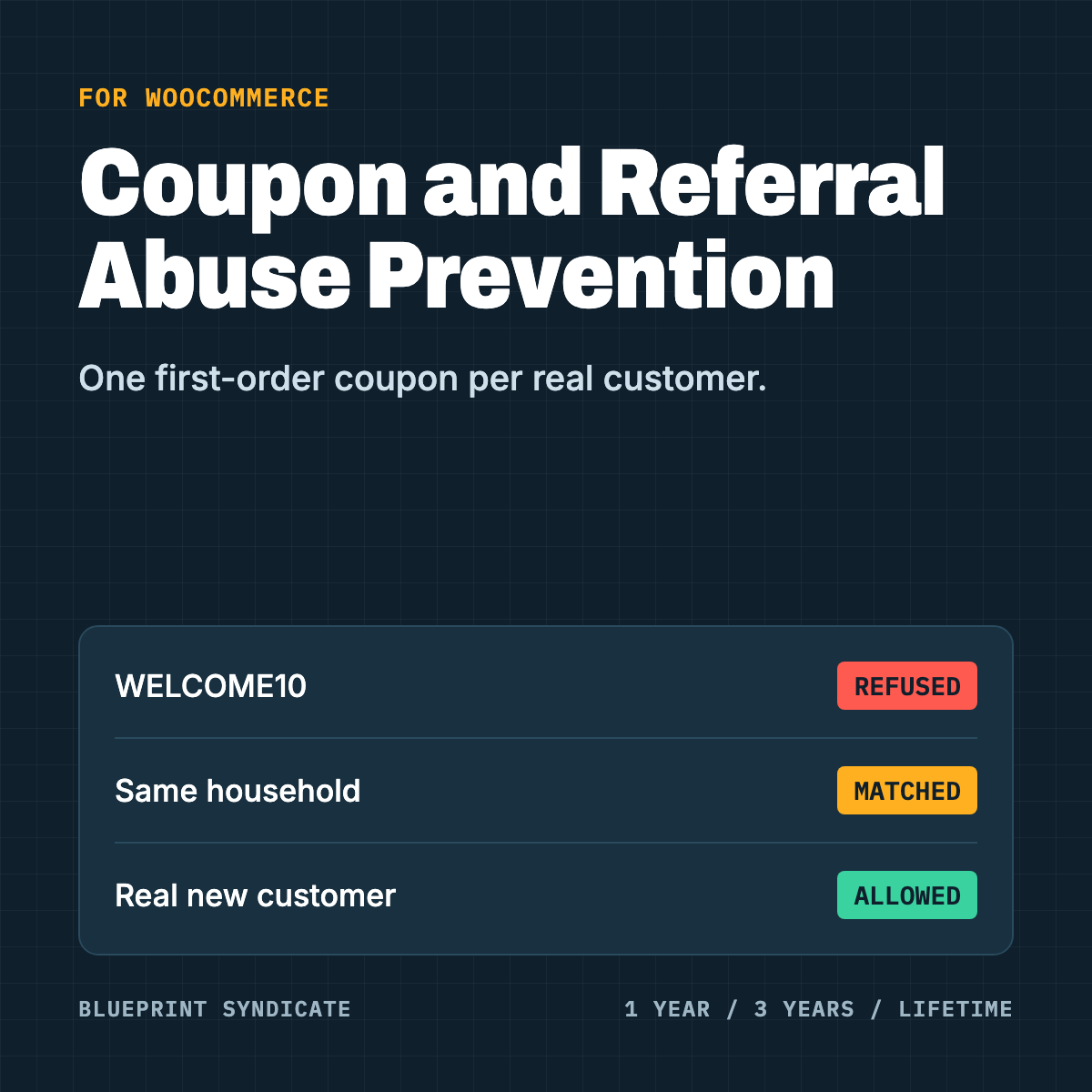
You offer 15% off a first order. Someone uses it, then adds a dot to their Gmail address and uses it again. Then their roommate does. Then they refer themselves. WooCommerce’s coupon limits look at the account or the exact email, and that is easy to get around.
What it does
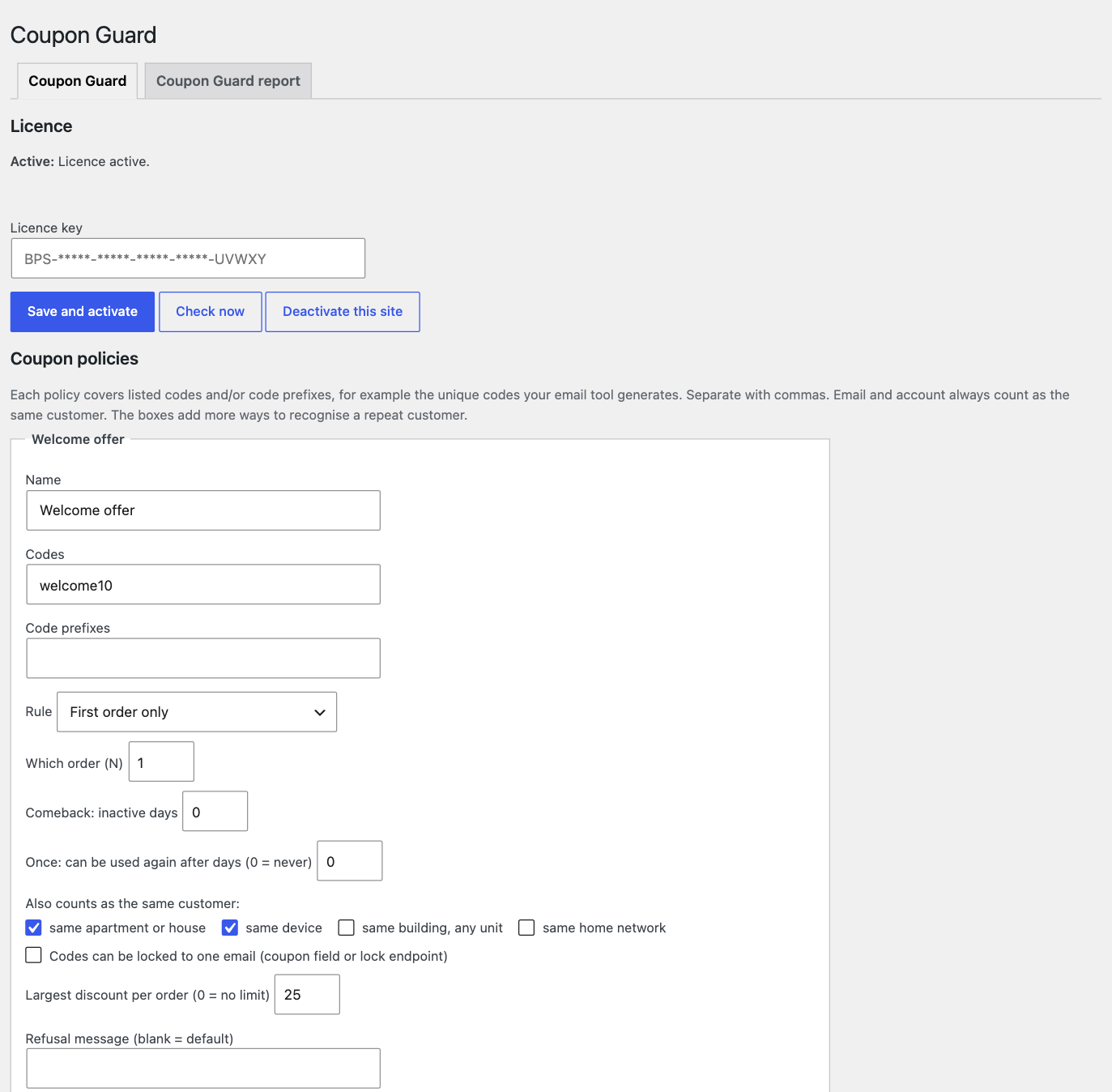
Recognises a repeat customer behind a new account. Dots and plus tags on an email count as the same mailbox. You can also switch on checks for the same apartment or house, the same device, the same building and the same home network, separately for each policy.
Enforces the rules you set, per code, per code prefix, or on the coupon itself:
- First order only
- Nth order
- Once per customer, with an optional window before it can be used again
- Comeback, for customers inactive for a number of days you choose
Locks a code to an email. Lock it at the coupon, or let your email tool do it through an API call. The first lock wins, and that code then works only for that email.
Caps a discount. Set a maximum per policy, with products you can exempt.
Bans a customer from coupons, from their user profile. The ban follows their email, phone, address and device.
Protects referral programs. It refuses a referral when the friend is linked to the referrer, is a merged or flagged duplicate, is banned, or has ordered before. A referrer who keeps trying to refer themselves is banned after 2 attempts by default, and rewards are capped at 5 per 30 days by default. It works with our Referral & Rewards plugin, and has a setting for other referral plugins.
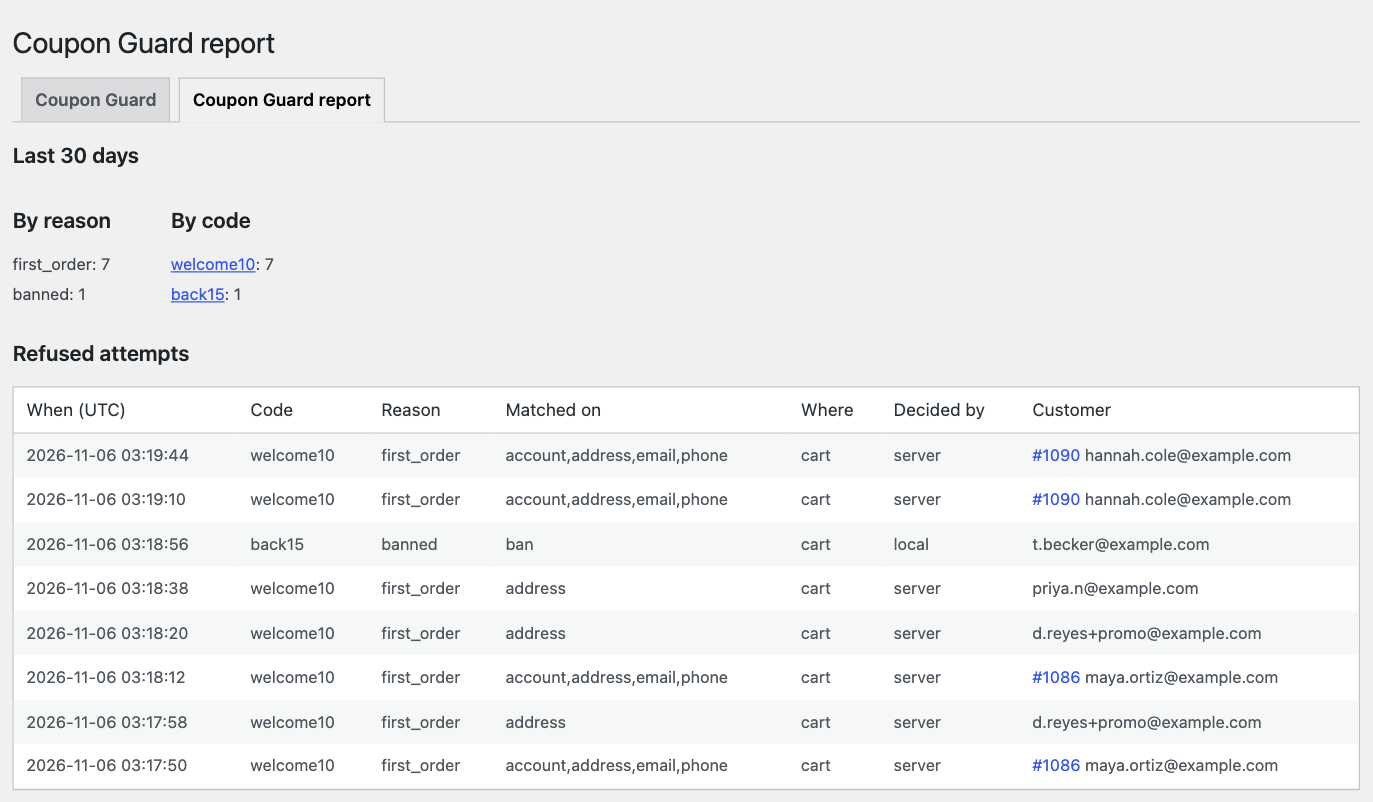
Keeps a record. Every refusal is logged, with a report page and alerts for repeated refusals, self-referral and bans.
How it works at checkout
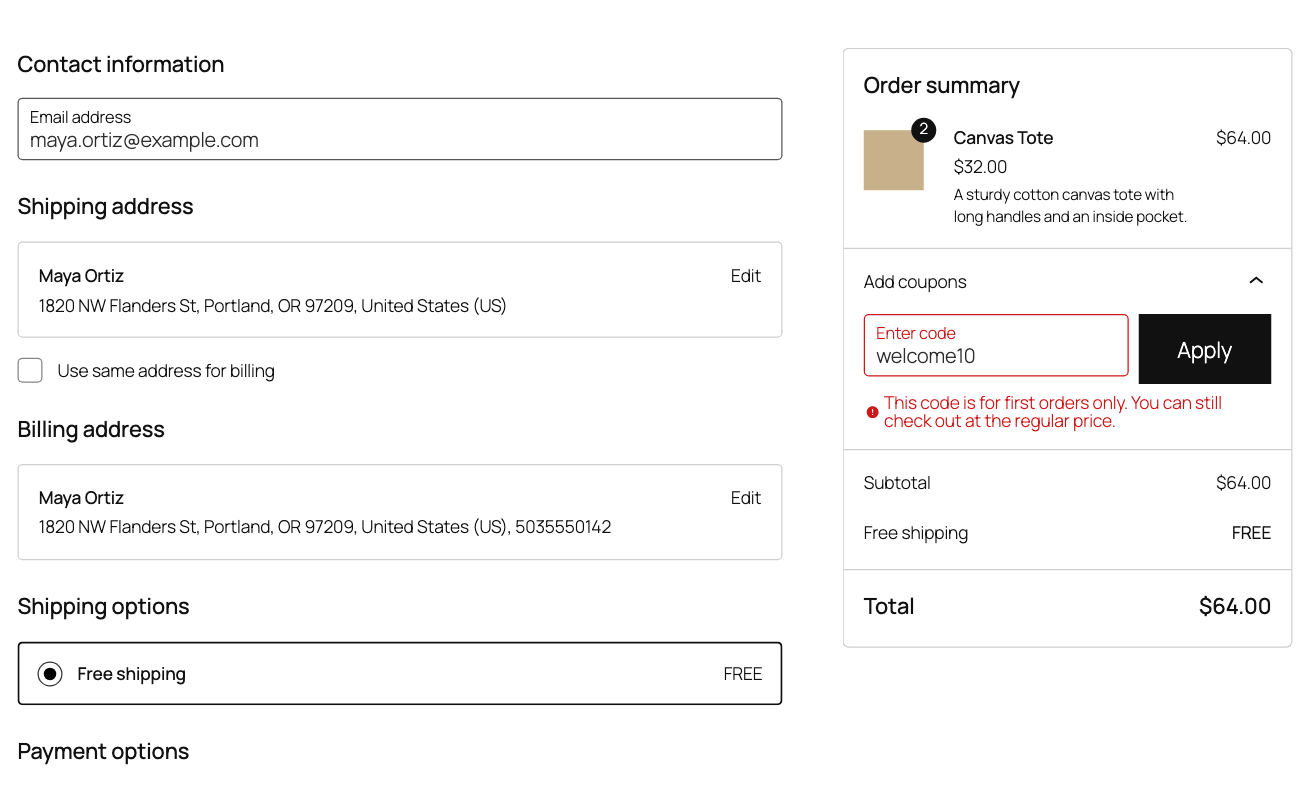
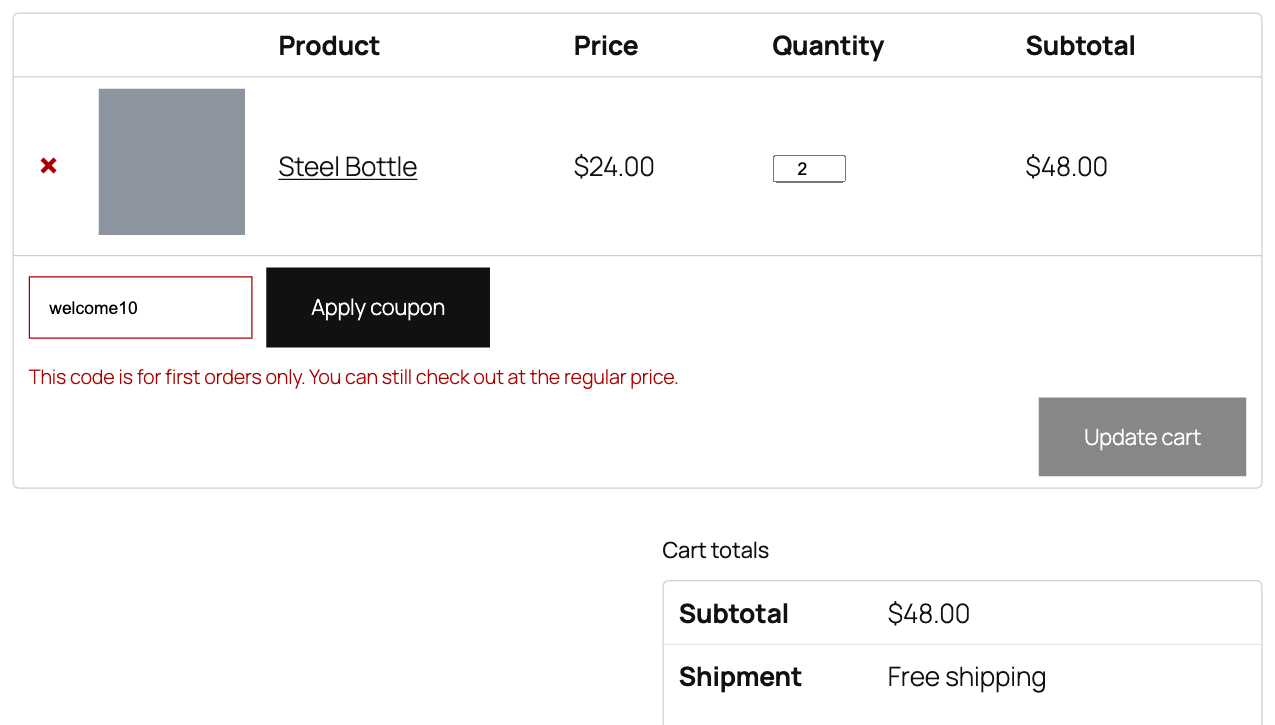
The check runs when a code is applied at the cart and again at checkout, on both classic and block. A refused code comes off the order with a message you can edit, and the customer can still buy at the regular price. You keep the sale and lose only the extra discount.
Our server never blocks your checkout. If it is down, the plugin checks local order history instead (account, email, phone, address and device, exact matches only), you see a notice in wp-admin, and orders still complete.
Requirements
- WooCommerce 11.1 or newer, WordPress 6.5 or newer, PHP 8.1 or newer
- Works with HPOS on or off
- Works with block and classic checkout. On block checkout the refusal comes when the customer presses Place Order, not while they type (see limits).
Privacy: what leaves your store
What does not leave your store: raw names, emails, phone numbers, street addresses, zip codes, IP addresses, browser details, or plain customer and order numbers. The secret key used for hashing stays on your site and is never sent.
What goes to our server:
- Keyed hashes of the customer’s email, phone, address, network, device, zip and last name.
- Order counts and order dates, and whether an order still counts.
- Ban states.
- Customer and order ids, each shifted by a secret number for your store.
So this is not hashes alone, and those values are stored on our server. Raw names, emails, addresses, IP addresses and plain ids are never sent.
The plugin also checks your licence about once a day. That check sends your licence key, store address, a site ID, and your plugin, WordPress, WooCommerce and PHP versions. Our server also sees your store’s IP address, and keeps it in its logs for up to 30 days.
How long we keep it: hashed records are deleted once they are 24 months old. Bans and blocklist entries stay until you remove them, because a ban should not quietly expire. If your licence stays inactive for 90 days, or you release a site from its licence for 90 days, all data for that store is deleted.
Each store’s data is kept separate on our server, so another store’s licence cannot read it.
Erasing data: the WordPress personal data eraser covers the hashes and bans, and asks our server to delete its copy. Uninstalling the plugin asks our server to delete your store’s data. Both requests still work after a licence lapses. A site released from its licence can no longer send them, so the 90 day rule above deletes that data instead. The same rule covers an uninstall request that does not arrive.
The refusal log, with the code and the email entered, stays on your own site.
Pricing
1-year licence: $99. 3-year licence: $199. Lifetime licence: $239. Each is a one-time payment with no auto-renewal. When a 1-year or 3-year term ends, you buy a new licence to keep the plugin running.
Each licence covers one site.
What happens if you cancel
All features stop 7 days after your term ends. Your settings and data are kept, and a new licence restores everything.
- Stops: every coupon rule, email locks, discount caps, household, network and device checks, email dot and plus matching, code prefixes, bans, referral protection, logging, alerts and reports.
- A notice in wp-admin says the rules have stopped.
Honest limits
- A customer who changes every identifier gets through. Nothing here ties a person to a card.
- On block checkout the refusal comes at Place Order. The next click may show WooCommerce’s own “order total changed” notice, and the one after that completes the order.
- A guest with no details at the cart is checked at checkout, so their refusal comes later.
- Device matching needs the cookie. Clearing cookies loses it, and past orders have no device record.
- The building and network checks can catch real neighbours, which is why each is a separate switch per policy.
FAQ
Does a refused customer lose the sale? No. The code comes off and they can still check out at the regular price.
Will it block neighbours or people on the same wifi? Only if you turn on those checks for that policy. More than 3 people on the same device, network or building key links nobody, and IPv4 network matches also need a same-zip or same-last-name order.
Can my email tool lock codes? Yes, through an API call protected by a key you set. The policy needs email lock turned on.
Does it need your Fraud Guard plugin? No. If Duplicate Account & Fraud Guard is active, this plugin also reads its merged accounts and duplicates queue.
Is there a free version? No. The plugin needs a licence: 1-year, 3-year or lifetime.
Reviews
There are no reviews yet.